 RFID4U
Shopify Inventory with RFID Technology
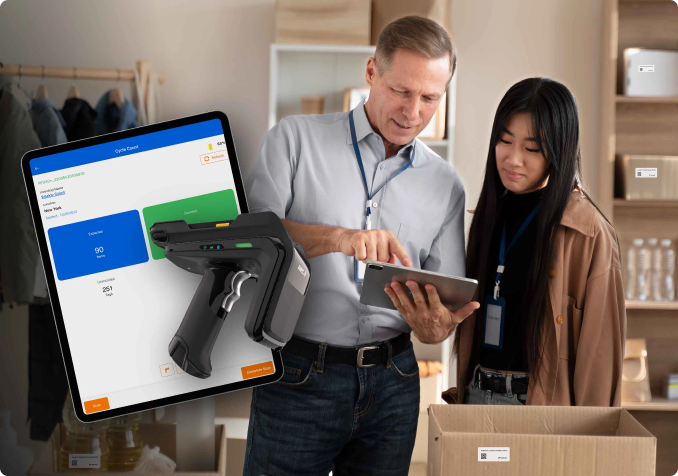
Say Goodbye to Manual Tracking - Speed Up, Simplify, and Scale!
Seamlessly Connect Your Shopify Store with TagMatiks Retail Using TagMatiks RFID Connect Effortlessly manage inventory from receiving to checkout with RFID-powered automation.
Managing inventory can be time-consuming and prone to errors. Our RFID Inventory App for Shopify transforms your stock management process with real-time tracking, instant updates, and effortless accuracy.
Running a Shopify store is exciting - but inventory management? Not so much
If you’re still counting products manually, relying on barcode scans, or dealing with stock
mismatches, you’re losing time, money, and sales.

Lost inventory?
RFID for Shopify finds it instantly.

Overstocked or out of stock?
Get real-time updates before it’s too late.

Wasting hours on stocktakes?
Do it in minutes with RFID.
Managing inventory can be time-consuming and prone to errors. Our RFID Inventory App for Shopify transforms your stock management process with real-time tracking, instant updates, and effortless accuracy.
Upgrade to RFID-Powered Inventory Management
TagMatiks RFID Connect
Competitors are optimizing—why aren’t you? Our RFID Inventory App for Shopify gives you
Stock Updates in Seconds
Scan hundreds of products at once; no line-of-sight needed.
Real-Time Sync with Shopify
See accurate stock levels anytime, anywhere.
Eliminate manual errors
No more incorrect counts or misplaced products.
Lightning-Fast Stock Audits
Cut hours of work down to minutes.
Track Every Movement
Know where every product is, from warehouse to storefront.
How RFID Shopify App Works?- In Just 6 Simple Steps

SYNC TO SHOPIFY
Automatic updates, no manual entry needed.

PRINT RFID LABELS
Print the RFID label/tag based on SKU.

TAG YOUR PRODUCTS
Attach RFID labels to your inventory.

SCAN INSTANTLY
Use an RFID reader to capture stock data in seconds.

INVENTORY MANAGEMENT
Update the inventory to Shopify.

MONITOR & OPTIMIZE
Track, analyze, and keep your inventory flawless.
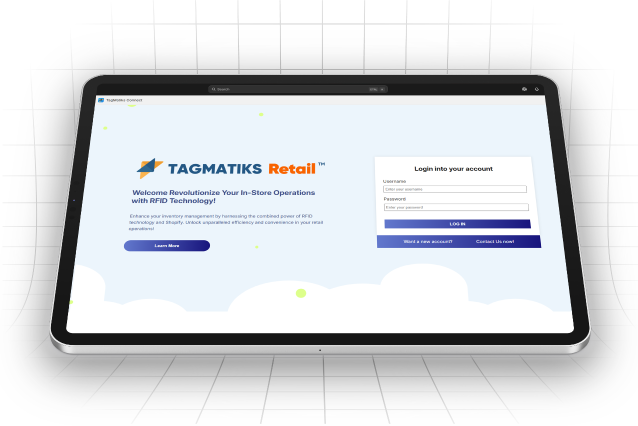
Why Choose TagMatiks RFID Connect?
- Lightning-Fast Stock Updates: Scan hundreds of products in seconds, eliminating manual data entry.
- Seamless Shopify Integration: Automatically sync inventory data with your Shopify store.
- Reduce Stock Discrepancies: Improve accuracy and minimize shrinkage.
- Reduced Shrinkage: Minimize losses with automated RFID tracking
- Track Movements in Real-Time: Know exactly where your products are at all times.
Our RFID Software for Shopify Retailers
From Chaos to Clarity: RFID Simplifies Inventory Management

Shopify store owners who want faster, smarter inventory tracking.

Retailers & warehouse managers are tired of wasted time & errors.

Growing businesses that need scalability without complexity.
Shopify stores that should use TagMatiks RFID Connect app include
- Fashion & Apparel
- Beauty & Personal Care
- Electronics and Tech Gadgets
- Home & Furniture
- Food & Beverage
- Health & Wellness
- Pet Supplies
- Automotive & Accessories
- Arts & Crafts
- Baby & Kids
- Sports Equipment
- Jewelry

Benefits of RFID inventory Software for Shopify Users
Effortless Inventory Management for Shopify Stores with Our RFID Software

WITHOUT RFID
You spend hours manually counting products, fixing errors, and dealing with missing stock.

WITH RFID
Your inventory updates instantly, audits take minutes, and stock discrepancies disappear.
Get Started Today—No More Inventory Headaches!
Join the future of inventory management today!
Frequently Asked Questions
What is TagMatiks RFID Connect?
How do I install the app?
- Go to Shopify Admin → Apps → Shopify App Store
- Search for “TagMatiks RFID Connect”
- Click Install and approve permissions
The app will then appear under your Shopify Apps section.
Do I need special credentials to log in?
- If you already have TagMatiks Retail credentials, use them to log in.
- If not, click “Contact Us Now” to request new credentials. A representative will guide you through setup.
What happens after I log in?
What are the two sync options?
- Option 1: Shopify to TagMatiks (Shopify as System of Record)
Shopify remains the source of truth; TagMatiks pulls product data for RFID use. - Option 2: TagMatiks to Shopify (TagMatiks as System of Record)
TagMatiks manages inventory, and updates are pushed to Shopify.
Which option should I choose?
- Choose Shopify as System of Record if you already manage products in Shopify and just want RFID capabilities.
- Choose TagMatiks as System of Record if you want RFID-driven inventory control to dictate what’s shown online.
How do I receive new inventory with RFID?
- Go to Product Collection → Product Details → Action → Receive
- Select Tagged Items (already tagged) or Non-Tagged Items (need tags).
- Scan EPCs with your RFID reader and assign them to a location.
What’s the difference between Tagged and Non-Tagged workflows?
- Tagged Items: Products already have RFID tags; you just scan and receive them.
- Non-Tagged Items: You need to print and encode new RFID labels before receiving.
Does it work with any type of RFID tags?
Can I use TagMatiks Connect for inventory tracking?
What is reconciliation, and why is it important?
- Mobile app scans items.
- Web console compares “Expected” vs “Matched.”
- Once reconciled, data syncs cleanly to Shopify.
Do I need extra hardware?
- RFID Reader (handheld) for scanning.
- RFID Printer (e.g., Zebra) if you need to print the tags.